Production Kit
Recording setups and show assets
A practical kit for recording, publishing and promoting Pressure Point with consistent quality.
Hosts
Pressure Point desk
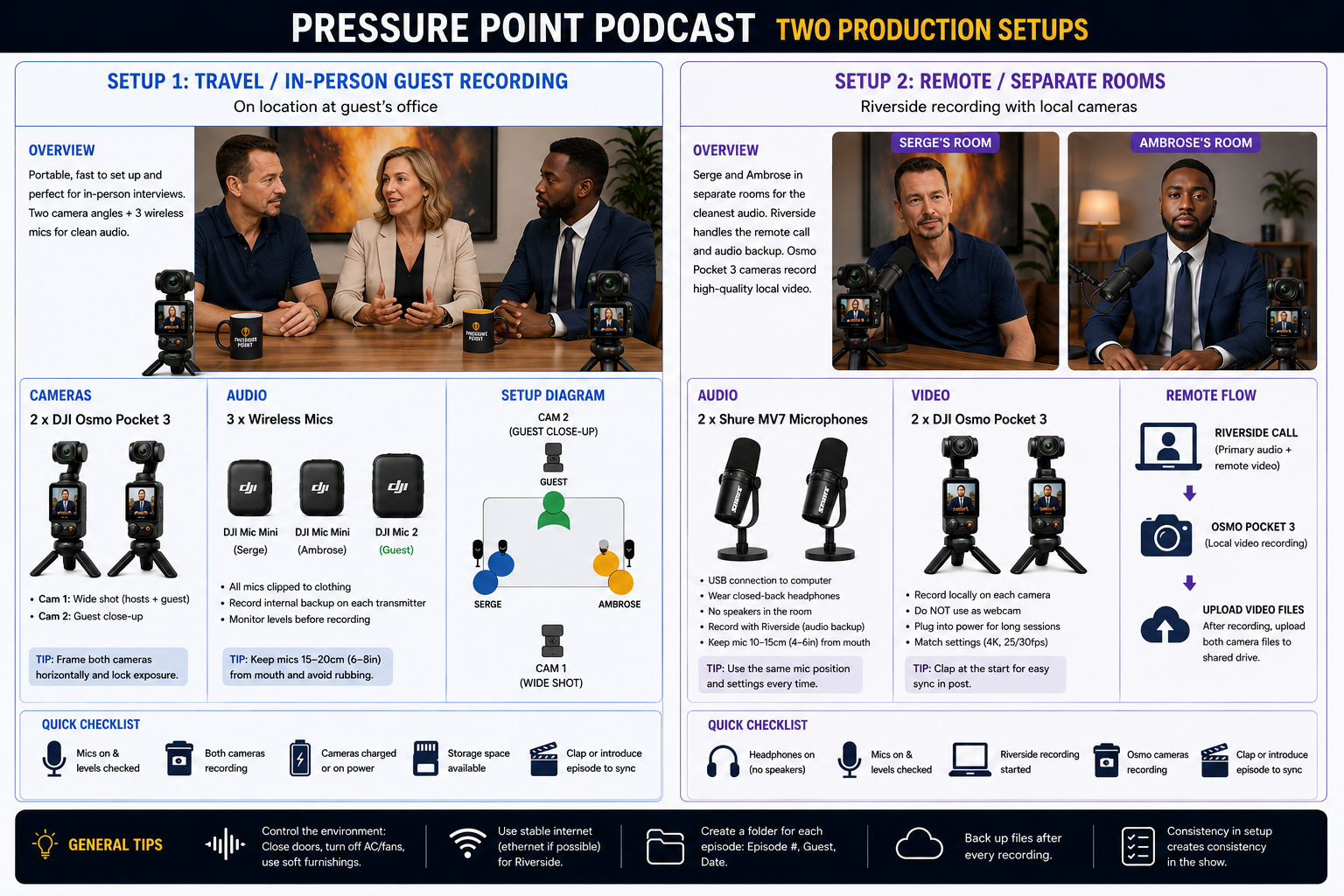
On location at a guest's office.
Setup 1: Travel / In-person guest recording
High-trust interviews with guests, factories, distributors or OEM teams.
Kit
- 2 x DJI Osmo Pocket 3
- 3 x wireless microphones
- Charged cameras
- Storage cards
- Clap or episode intro for sync
Checks
- Frame both cameras horizontally
- Lock exposure
- Keep mics 15-20cm from mouth
- Record internal backup on transmitters
Riverside recording with local cameras.
Setup 2: Remote / separate rooms
Clean remote recordings where each host has local video and Riverside handles the call and audio backup.
Kit
- 2 x Shure MV7 microphones
- 2 x DJI Osmo Pocket 3
- Closed-back headphones
- Riverside session
- Shared upload folder
Checks
- No speakers in the room
- Match camera settings
- Clap at the start
- Upload both local camera files after recording
Template
Guest Prep Pack
Show promise, recording format, practical tech requirements and episode-specific topic prompts.
Production asset
Workflow
Recording Checklist
Mics, levels, cameras, power, storage, headphones, Riverside recording and sync clap.
Production asset
Launch kit
Publishing Assets
Cover art, YouTube thumbnail rules, show description, guest links, intro/outro and platform copy.
Production asset
General Recording Rules
Control the environment: close doors, turn off fans and use soft furnishings.
Use stable internet for Riverside, preferably ethernet.
Create a folder for each episode by episode number, guest and date.
Back up files after every recording and keep local camera files until edit sign-off.